

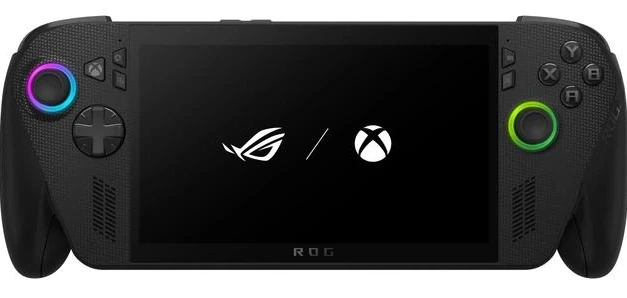
The ROG Ally X is easiest to misunderstand if you judge it only as a smaller Xbox Series X. It can play Xbox PC titles, run Game Pass games, dock to a TV, and launch into an Xbox-style interface, but after months of use, its real value is broader than that. It works best as a hybrid: part handheld console, part Windows gaming PC, part dockable desktop machine.
That flexibility is also where most of its friction comes from. The same device that lets you jump between Xbox, Steam, mods, emulators, cloud saves, and desktop apps can also remind you that Windows still lives underneath the console-like layer. The result is a handheld that can feel brilliant, occasionally clumsy, and far more useful than expected.
The wrong way to judge the Xbox handheld
A handheld like the ASUS ROG Ally X invites the usual questions first: how powerful is it, how long does the battery last, and how does it compare with Steam Deck, Nintendo Switch 2, or a full Xbox console? Those questions matter, but they do not fully explain why the device becomes useful in daily life.
Six months in, the bigger question is not whether the Xbox ROG Ally X can technically run big games. It can. The more important question is which games actually feel right on it. Recent AAA releases still often make more sense on a large TV through an Xbox Series X, especially when the console version has been tuned for 4K output, couch play, and a traditional living-room setup.
The Ally X shines when expectations shift. Older AAA games, AA releases, indie titles, PC-only projects, modded games, and Game Pass discoveries feel more natural on a portable screen. In those cases, the device is not competing with the main console. It is filling the gaps around it.
Performance matters, but comfort decides what you play
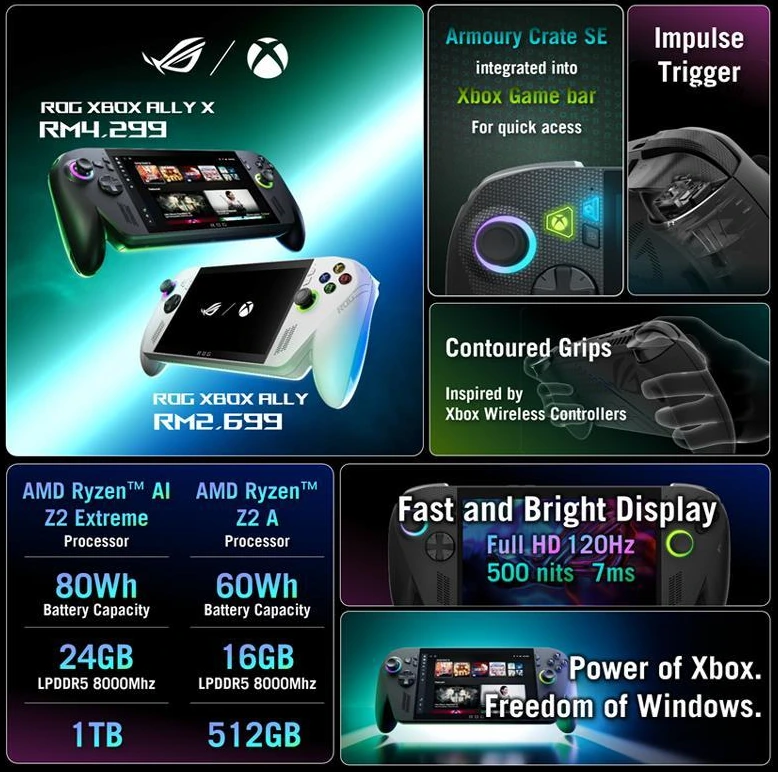
The ROG Xbox Ally X has the kind of hardware that makes serious portable gaming possible: a 1080p 120Hz display, modern AMD handheld silicon, generous memory, fast storage, and enough battery capacity to avoid feeling like a short-session-only device. On paper, that pushes it toward the high-end Windows handheld category.
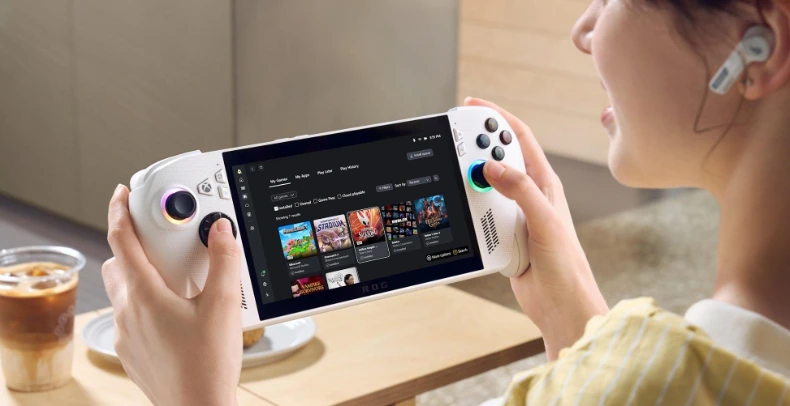
In practice, the best experience comes from matching the game to the form factor. A visually demanding blockbuster may run well with upscaling, adjusted settings, or a lower power profile, but that does not automatically make it the best way to play. Some games simply deserve a bigger screen, a quieter room, and a dedicated console.
Where the ROG Ally X becomes more convincing is in games that look sharp without heavy tweaking. A few-year-old action RPG, a 2D platformer, a strategy game with controller support, a racing title, or a compact indie release can feel almost tailor-made for the device. You can drop the power draw, keep fan noise under control, and still get a smooth image that feels premium in handheld mode.
That is the point where the device stops feeling like a benchmark machine and starts feeling like a real gaming system.
Game Pass and Play Anywhere change the value equation
The strongest reason to choose the Xbox Ally X over some other handhelds is not only raw performance. It is the Xbox ecosystem around it.

Xbox Play Anywhere quietly makes the device more valuable over time. When a purchase gives access to both console and PC versions, the ROG Ally X becomes an extension of the same library rather than a separate platform demanding separate purchases. A game can live on the TV when you want the console experience and move to the handheld when you want a smaller session.
PC Game Pass adds another layer. For a player who likes trying smaller releases, new indies, experimental projects, or games they might not buy outright, the handheld becomes a discovery machine. It is easier to give a game 20 minutes on a portable screen than to commit an evening to it on the main TV.
This is where xbox rog ally branding starts to make sense. The device is not a closed Xbox console. It is a Windows handheld shaped around Xbox services, and that difference matters. It gives you access to Xbox-native PC games while still leaving the door open to other storefronts.
Docked mode is the hidden reason the device sticks
The most surprising strength of the ROG Ally X is not handheld play. It is how naturally it can become a desk or TV machine.
Dock it with a monitor, keyboard, mouse, and controller, and the handheld turns into a compact Windows PC. For everyday writing, browsing, light productivity, media, game management, and storefront navigation, it can feel completely normal. It does not need to sound like a gaming laptop under load during basic work. It can sit quietly, stay reasonably cool, and become part of a daily setup.
That changes the emotional value of the device. A handheld that only gets used in bed or on the sofa competes for limited leisure time. A handheld that also becomes a work PC, a TV box, a modding station, and a portable library earns more reasons to stay plugged in.
Docked play also solves one of the common handheld problems: screen size. Some games are playable on the 7-inch display but more enjoyable on a TV. With the Ally X, switching from portable to docked mode does not feel like changing platform. It feels like changing posture.
Windows is both the best and worst feature
The freedom of Windows is the reason the rog ally x xbox experience can do so much. It is also the reason it sometimes feels less polished than a dedicated console.
Steam, Xbox, Epic, retro launchers, mods, fan projects, productivity apps, cloud saves, external displays, file managers, and custom tools all become possible because this is a PC. That flexibility opens doors that a locked-down console cannot. Modded football games, fan-made rhythm projects, texture packs, community fixes, and older PC libraries all make more sense here than on a standard Xbox.
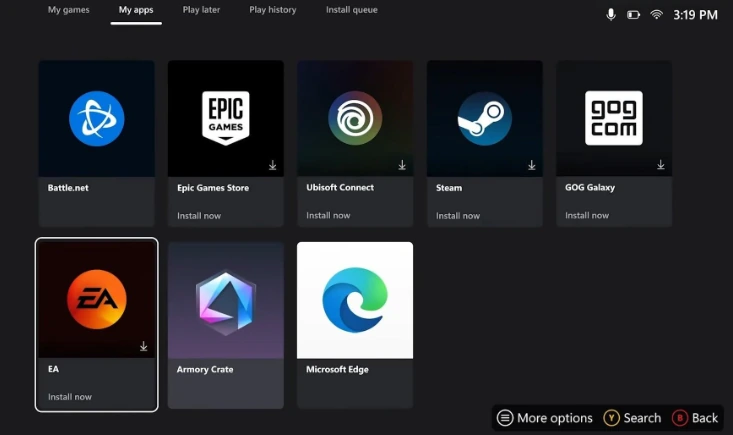
The trade-off appears when Windows interrupts the illusion. Login screens, random pop-ups, launcher updates, background app behavior, control-mode switching, mouse cursor moments, and desktop settings can all break the console feel. When you are docked on a TV and suddenly need to adjust something with mouse controls, the experience can feel like a workaround rather than a seamless entertainment device.
This does not ruin the handheld, but it defines it. The Xbox Ally X is at its best when you accept that it is a gaming PC with a strong Xbox layer, not a pure console that happens to run PC games.
Xbox Mode helps, but it is not finished
The Xbox full-screen experience gives the device a clearer identity. It makes the handheld easier to use with a controller, brings the library forward, and reduces some of the traditional Windows clutter. For quick game launching, it is a meaningful improvement over treating the device like a tiny laptop.
Still, the interface is not yet as elegant as a real console dashboard. It can feel plain, occasionally sluggish, and less visually refined than what players expect from Xbox hardware. The ability to add games and apps into the Xbox library helps, because it reduces how often you need to drop back to the desktop. But the gap between “console-like” and “console-smooth” is still visible.
That gap matters because Microsoft’s handheld strategy seems to point toward a future where Xbox and Windows share more DNA. The ROG Xbox Ally X shows why that idea is exciting. It also shows what must be fixed before the same approach feels right on a dedicated living-room machine.
Ergonomics make long sessions possible
Comfort is one of the most underrated parts of any handheld review. A powerful device becomes hard to recommend if it causes wrist strain after half an hour. The ROG Ally X does well here because its grips feel closer to a controller than a flat tablet with sticks attached.
The shape gives the palms something to hold. That matters during longer sessions, especially in games that require steady aiming, racing control, or repeated trigger use. It is heavier than smaller handhelds, and the weight can become noticeable during long play, but the grip design helps offset that.
The best habit is simple: rest it on a knee, cushion, desk edge, or lap during longer sessions. Used that way, the device feels comfortable enough for serious play without pretending to be as light as a Switch-style handheld.
Where the ROG Ally X beats a console
The ROG Ally X is not better than an Xbox Series X at being an Xbox Series X. That is the wrong comparison. A console wins on simplicity, TV performance, instant familiarity, and fewer interruptions.
The handheld wins in situations where flexibility matters more than purity. It is better for playing PC Game Pass away from the TV, exploring smaller games, using mods, testing PC storefront purchases, playing in another room, travelling, or turning one device into both a gaming and desktop setup.
It also changes buying behavior. When a game supports Xbox Play Anywhere, it becomes more attractive because it can live across console and handheld. That kind of cross-device value is hard to ignore once it becomes part of your routine.
Where it still feels like work
The biggest weakness is not battery life or power. It is friction.
A dedicated console hides complexity. The Xbox Ally X exposes it when something does not behave. A launcher may need an update. A game may open behind another window. A non-Xbox app may need mouse input. A mod may require folder access. A docked setup may need display tweaking. None of this is shocking for PC players, but it can feel strange for someone expecting a pure Xbox handheld.
That is why the device becomes better with familiarity. The first weeks are about learning its patterns. After months, the rough edges feel more manageable because you know when to use Xbox Mode, when to drop into Windows, when to dock, and when to avoid overcomplicating a quick gaming session.
The real place of ROG Ally X in 2026
The xbox ally x makes the most sense for players who already live across Xbox and PC, or for console players who want to step into PC gaming without buying a full gaming laptop. It is not the cleanest handheld for someone who wants a closed, simple, cartridge-like experience. It is also not the cheapest route into portable gaming.
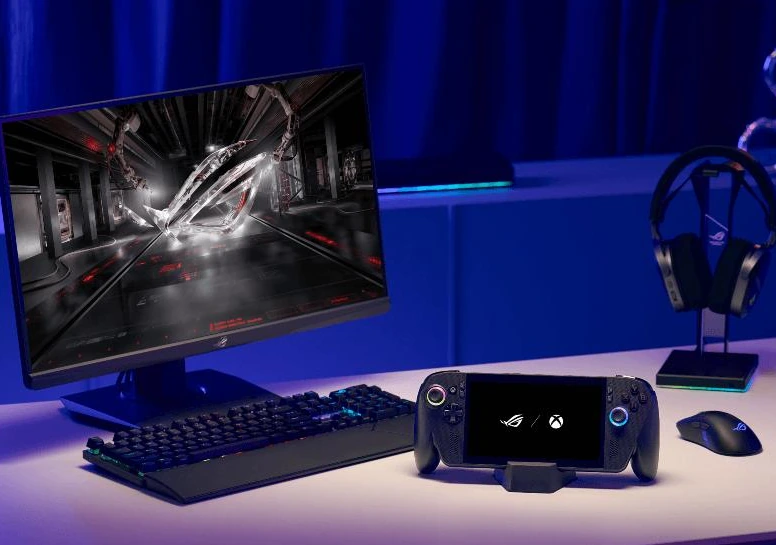
Its strength is range. It can be a Game Pass handheld in bed, a docked Windows PC in the morning, a Steam machine at night, a modding platform on the weekend, and a companion to an Xbox Series X rather than a replacement for it.
That is why the six-month verdict is stronger than the first impression. The ROG Ally X does not become important because it perfectly imitates an Xbox console. It becomes important because it expands what an Xbox-centered gaming setup can be.
The best reason to keep using it
The most useful devices are the ones that create new habits. The ROG Xbox Ally X does that. It makes smaller games easier to start, PC libraries less intimidating, Game Pass more flexible, and docked Windows gaming less tied to a traditional desktop tower.
Its flaws are real: Windows still intrudes, Xbox Mode still needs polish, and some big games remain better on a proper console and TV. But those flaws do not erase what the device does well. They simply define the kind of player who will enjoy it most.
Choose the ROG Ally X if you want a powerful handheld that can stretch beyond handheld gaming. Skip it if you want a friction-free Xbox console in miniature. The device is not magic because it replaces everything. It works because it sits between everything — and that is exactly where it becomes hard to put down.